
FlightHorizon ALERT users may opt in to SMS/text message notifications from within their authenticated account. SMS opt-in is optional and is managed separately from account creation and acceptance of the Terms of Service. Users may use FlightHorizon ALERT without opting in to SMS notifications.
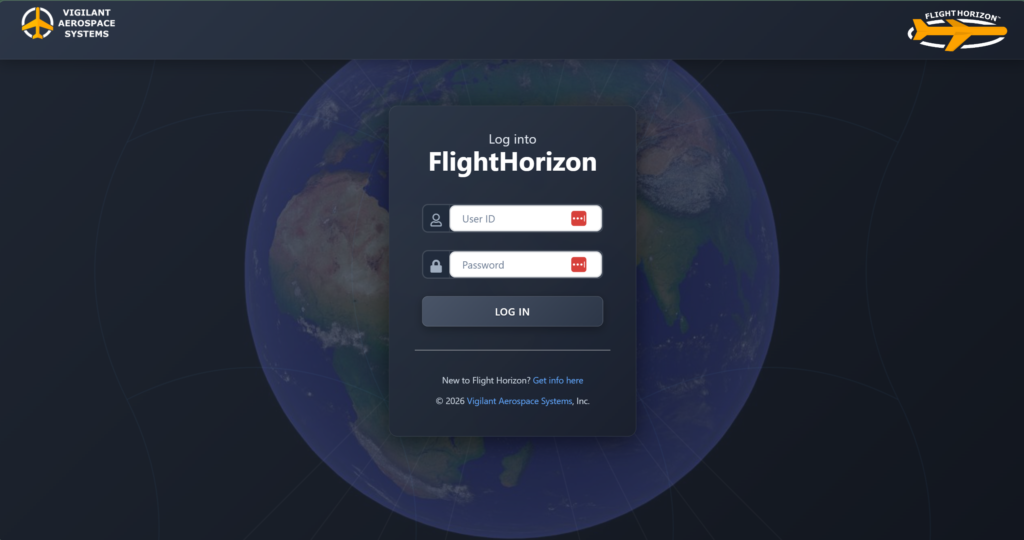
Step 1: User logs into FlightHorizon ALERT.
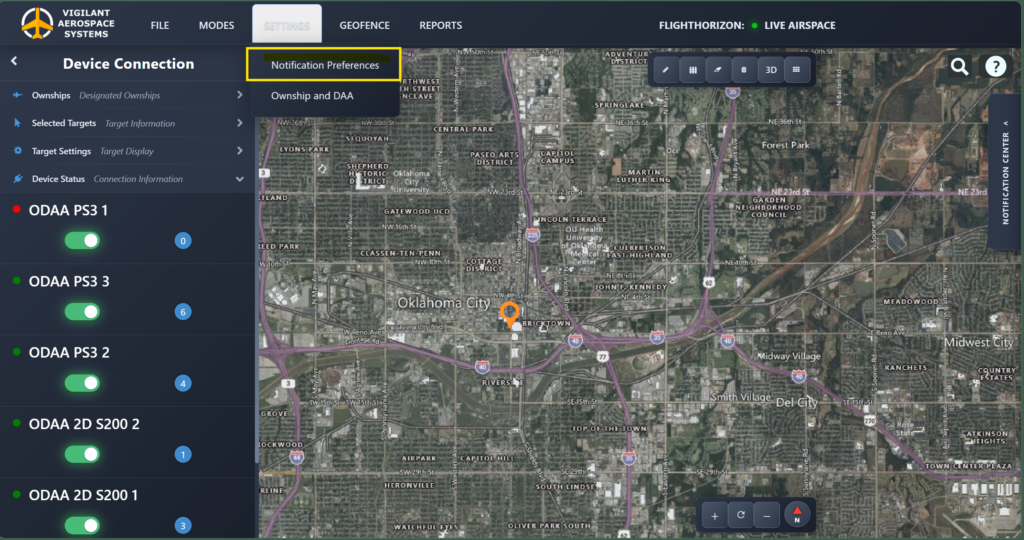
Step 2: User Navigates to Alert Settings / Notification Settings.
Step 3: User Enters and Confirms Phone Number
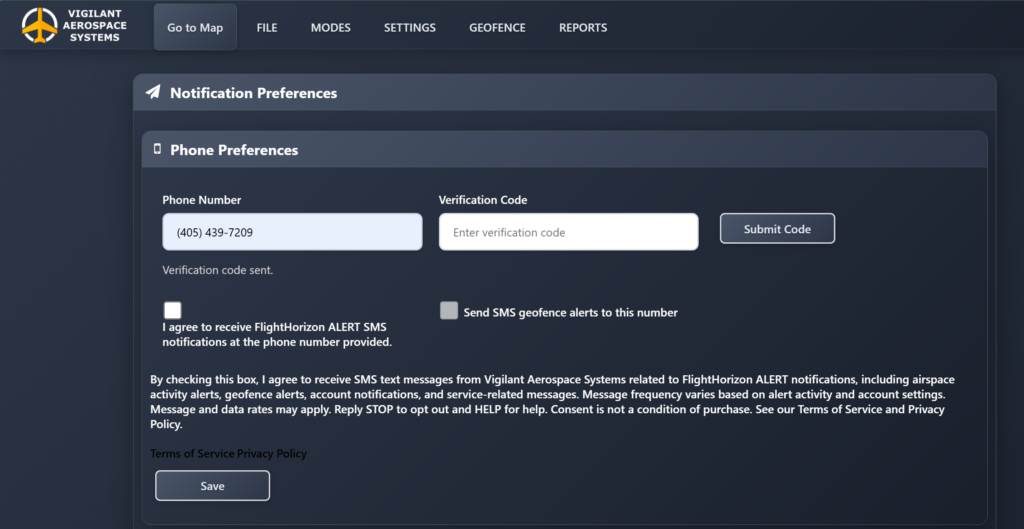
At the point of opt-in, users are shown the following consent language next to an unchecked SMS consent checkbox:
“I agree to receive FlightHorizon ALERT SMS notifications at the phone number provided.
By checking this box, I agree to receive SMS text messages from Vigilant Aerospace Systems related to FlightHorizon ALERT notifications, including airspace activity alerts, geofence alerts, account notifications, and service-related messages. Message frequency varies based on alert activity and account settings. Message and data rates may apply. Reply STOP to opt out and HELP for help. Consent is not a condition of purchase. See our Terms of Service and Privacy Policy.”
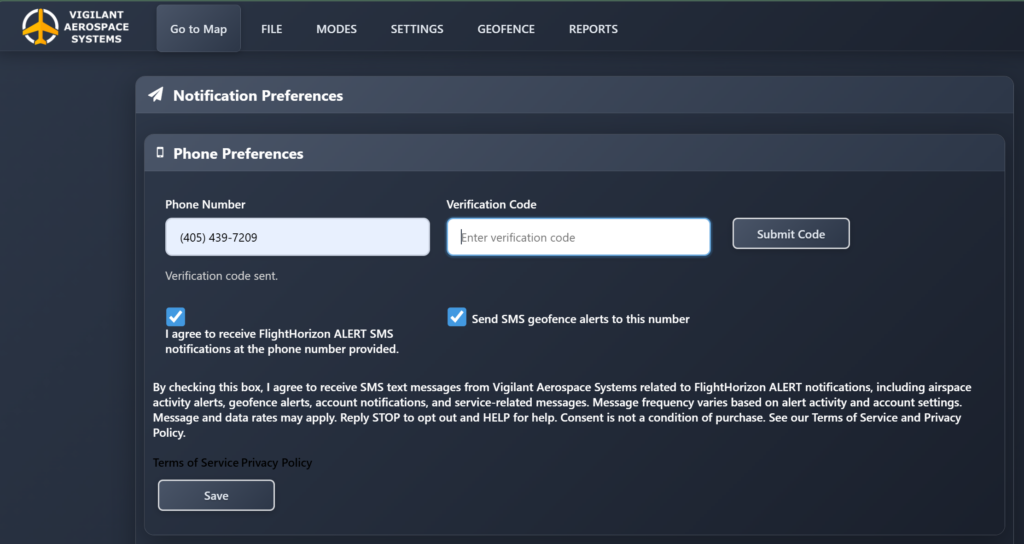
Step 4: User Selects Notification Preferences
Full Terms of Service: FlightHorizon ALERT Terms of Service
Full Privacy Policy: FlightHorizon ALERT Privacy Policy